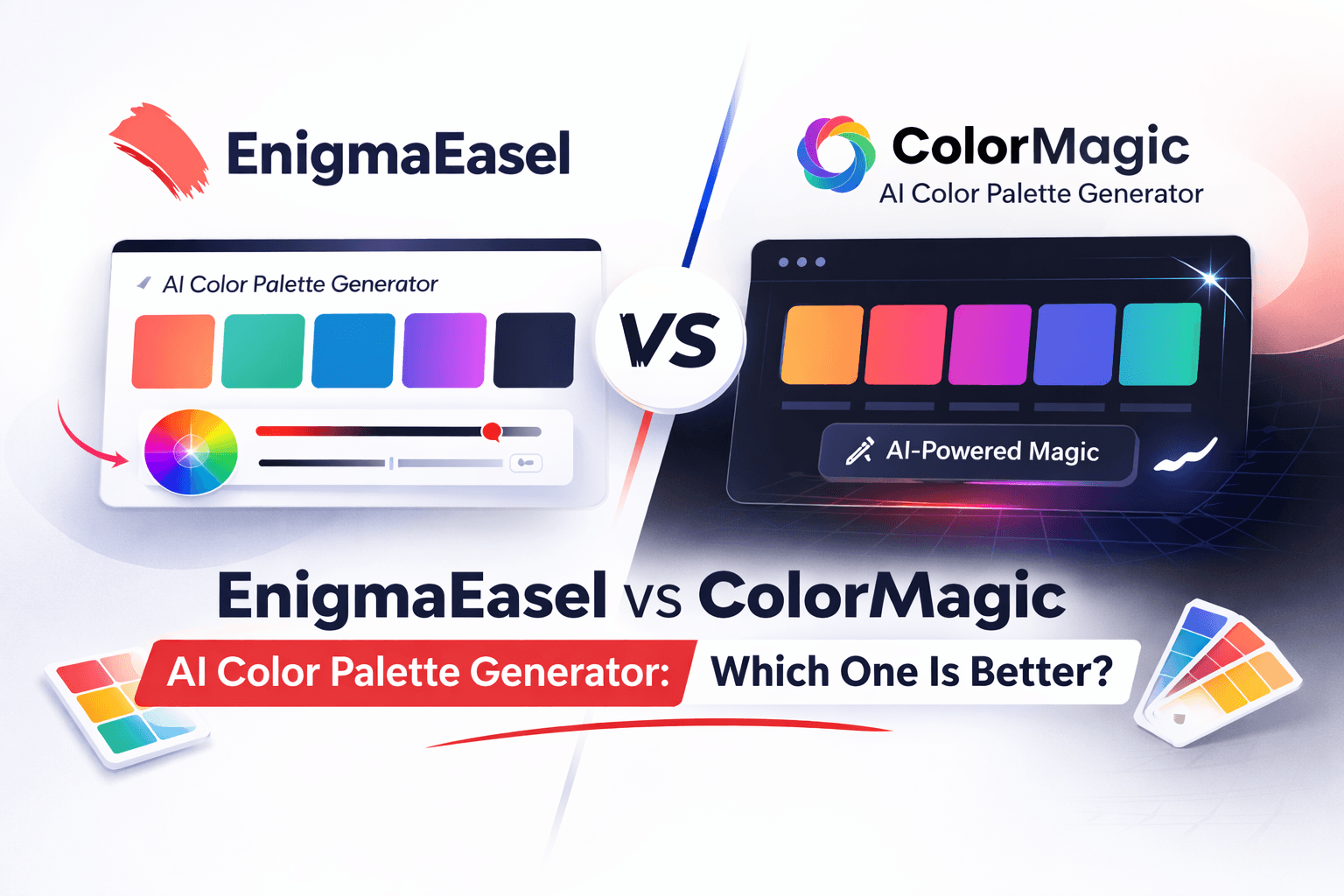
EnigmaEasel vs ColorMagic AI Color Palette Generator: Which one Is Better?
ColorMagic and EnigmaEasel both sit in the same category — AI-powered color palette generators that let you describe a mood or concept and get a matching palette. On the surface they sound similar. In practice they are very different tools, and those differences matter significantly depending on what you actually need from a color generator.
This comparison covers every major feature side by side — AI generation quality, image extraction, editing controls, export options, accessibility, privacy, and everything in between. Honestly.
Quick Verdict
Choose ColorMagic if: You want a simple, fast tool to generate a basic palette from a keyword with minimal friction. It works for quick inspiration and casual use.
Choose EnigmaEasel if: You want AI palette generation with custom color names, 5 distinct generation modes, meaningful editing controls, live website and branding preview, full accessibility testing, developer-ready exports, and complete privacy — all free with no account required.
Overview
What Is ColorMagic?
ColorMagic is an AI-powered color palette generator that uses GPT-3 technology to generate color palettes from keywords, images, or text descriptions. It was built to make color selection accessible to non-designers — enter a word or theme and get a palette instantly. It generates color palettes from names, images, text, or hex codes and offers predefined themes alongside a gradient preview for each palette. The tool is free to use at a basic level, with saving palettes requiring an account and some features locked behind a paid plan starting at $6/month.
What Is EnigmaEasel?
EnigmaEasel is a free web-based design toolkit built for designers, developers, and indie makers. Its AI Color Palette Generator offers five completely different generation modes — AI text-to-palette with custom color names, image extraction with 10 mood filters, color harmony theory with 7 types, 11 theme presets, and live website and branding preview. Every feature is completely free, no account required — including saving palettes, running accessibility checks, and exporting in 20+ formats.
Feature-by-Feature Comparison
1. AI Text-to-Palette Generation
ColorMagic generates palettes from keywords and text descriptions using GPT-3. The AI understands context reasonably well — whether you are looking for “sunset on a tropical beach” or “cyberpunk neon city” it generates matching palettes. However the output is basic — you get hex codes and color swatches with no meaningful naming beyond generic labels. The palette quality can be inconsistent and the editing options after generation are very limited, making it hard to refine results that are not quite right.
EnigmaEasel generates palettes from natural language descriptions and goes significantly further — every color in the generated palette gets a custom AI-generated name that matches your concept. Type “Rainy Tokyo Night” and you do not get unnamed hex codes — you get colors named “Wet Pavement,” “Neon Rainfall,” “Midnight Circuit.” This naming makes the palette feel intentional and communicable, especially when presenting to clients or building design systems. Color count is fully adjustable from 2 to 12. Results are consistently high quality because the AI is prompted specifically for color naming accuracy and conceptual fit — not just color generation.
Winner: EnigmaEasel — custom AI color naming, more consistent output quality, and adjustable color count give significantly more value from the same input.
2. Image Color Extraction
ColorMagic has an image extraction mode where you upload a photo and it generates a palette from the image. Privacy concerns may arise when uploading images for palette extraction — ColorMagic does not clearly communicate what happens to your uploaded images after extraction, where they are stored, or how long they are retained. For designers working with client photography or proprietary images this is a real concern. The extraction itself produces basic results with no mood filtering — you get whatever the algorithm finds dominant with no control over the style of extraction.
EnigmaEasel has image extraction with 10 extraction moods — Colorful, Muted, Warm, Cool, Deep, Pastel, Earthy, Jewel Tones, Monochrome, and Neon — or None for raw extraction. You can drag color marker pins directly onto the image for precise manual picking of exact pixels. Extract up to 12 colors per image. The entire extraction runs in your browser — images are not uploaded to any server, eliminating privacy concerns entirely.
Winner: EnigmaEasel — mood-filtered extraction, manual marker picking, up to 12 colors, and browser-side processing with zero privacy concerns.
3. Editing and Customization Controls
ColorMagic has very limited editing after generation. Users may find limited options for tweaking individual colors once a palette is generated, potentially requiring external tools for fine adjustments. You can adjust basic color ratios and see a real-time preview but deep color editing — sliders, precise value input, perceptual adjustments — is not available in a meaningful way.
EnigmaEasel has a full color editing suite on every palette:
- HSL sliders — Hue (0°–360°), Saturation (0%–100%), Lightness (0%–100%) with real-time preview
- LCH sliders — Luminance, Chroma, Hue for perceptually uniform adjustments
- Global adjustments — one-click Lighter, Darker, and Vibrant buttons across the whole palette while locked colors stay untouched
- Direct hex input on every swatch for precise control
- Drag to reorder swatches within the palette
- Lock individual colors before regenerating so only unlocked ones change
- Full undo/redo history — navigate back and forward through your entire generation and edit history
Winner: EnigmaEasel — ColorMagic has almost no meaningful editing. EnigmaEasel’s HSL, LCH, lock, reorder, and undo/redo system is comprehensive.
4. Generation Modes
ColorMagic has three primary generation inputs — text/keyword, image upload, and hex code. It supports palette creation from text descriptions, uploaded images, and direct color codes for versatile design needs. It also has a random color generator and a color mixer. These cover the basics but the tool is fundamentally built around one approach — enter something, get a palette.
EnigmaEasel has five completely distinct generation modes each solving a different design problem:
- AI from text prompts — natural language to palette with custom color names, 2–12 colors
- Image extraction — 10 mood filters, manual marker picking, up to 12 colors
- Color harmony theory — 7 harmony types (Complementary, Analogous, Split Complementary, Triadic, Monochromatic, Square, Rectangle), 2–12 colors each, optional base color anchor
- Theme presets — 11 aesthetic themes (Balanced, Light/Pastel, Bright/Neon, Dark, Aesthetic, Warm, Cold, Retro, Vintage, Monochromatic, Gradient) with optional base color
- Live website preview — apply your palette to a full-page website mockup in real time
Winner: EnigmaEasel — five dedicated modes vs three basic inputs. Significantly more creative flexibility.
5. Live Preview
ColorMagic has no live website or branding preview. You see your palette as color swatches. There is a basic gradient CSS preview for each palette which shows how the colors transition as a gradient — useful but limited. There is no way to see your colors on a real design layout inside ColorMagic.
EnigmaEasel has a full Live Previews mode with five distinct preview contexts:
- Website mockup — complete full-page website (navbar, hero, features, testimonials, CTA, footer) in 4-color, 5-color, and 6-color layout modes
- Branding and logo preview — your palette applied to real brand identity layouts
- Typography preview — how your colors work across different type styles
- Pattern preview — your palette on surface and pattern designs
- Poster preview — your palette on poster and print layouts
All previews are downloadable as SVG, PDF, JPG, or PNG. The 5 and 6-color website modes include CSS animations. Everything is free with no account.
Winner: EnigmaEasel — ColorMagic has no preview beyond basic gradient swatches. EnigmaEasel’s five-context live preview is in a different category entirely.
6. Accessibility Testing
ColorMagic has a basic contrast checker mentioned as a feature. The contrast checker assesses contrast levels between colors to ensure readability and accessibility compliance. However it is a basic implementation and color blindness simulation is not a clearly documented or prominently featured tool.
EnigmaEasel has a full accessibility suite built in:
- WCAG Contrast Ratio Checker — real-time contrast ratios across your entire palette simultaneously, showing AA and AAA pass/fail for normal text, large text, and UI components
- Color Blindness Simulation — preview your palette through Protanopia, Deuteranopia, Tritanopia, Achromatopsia, and additional vision types
EnigmaEasel also has a dedicated standalone Color Contrast Checker and Generator tool for deeper accessibility work beyond the palette generator.
Winner: EnigmaEasel — more comprehensive accessibility testing, color blindness simulation across more vision types, and a dedicated standalone contrast tool.
7. Export Options
ColorMagic — you can copy colors, CSS, gradient effects, or download your palette as PNG. Basic exports cover the essentials for casual use. One notable gap is the absence of Tailwind palette export — a significant omission for developers. No SCSS, no JSON, no Swift, no Kotlin, no PDF.
EnigmaEasel — comprehensive exports across two categories:
Image Exports: PNG, JPG, SVG, PDF, ASE with customizable dimensions. Preset sizes — Default (1200×400), Instagram (1080×1080), Twitter/X (1200×675), Web Banner (1920×400), Print Ready (3000×1000), Thumbnail (600×200).
Code Exports: CSS Variables, SCSS Variables, Tailwind CSS, Kotlin (Android), Swift (iOS), JSON.
Quick Copy: Click any swatch to copy in your preferred format — HEX, RGB, HSL, CMYK and more.
Winner: EnigmaEasel — 20+ export formats vs ColorMagic’s basic PNG and CSS. Tailwind, SCSS, Swift, Kotlin, JSON, ASE, PDF — all free.
8. Privacy and Image Handling
ColorMagic — privacy concerns may arise when uploading images for palette extraction as it is unclear what happens to uploaded images. There is no clear documentation of image retention policy, server-side processing details, or data handling practices for uploaded files.
EnigmaEasel — image extraction runs entirely in the browser. Your images are not uploaded to any server, not stored remotely, and not processed anywhere outside your own device. For designers working with client photography, proprietary images, or sensitive brand materials this is a meaningful advantage.
Winner: EnigmaEasel — browser-side processing eliminates privacy concerns entirely.
9. Saving and Account Requirements
ColorMagic — saving your favorite palettes requires login. Basic generation is free without an account but any persistence requires registration. Advanced features and higher usage limits require a paid plan starting at $6/month.
EnigmaEasel — no account required for any feature. Save palettes to browser local storage without signing in. All 5 generation modes, all exports, all previews, all accessibility tools, the full edit suite, and undo/redo history work without creating an account, providing an email address, or entering payment information. Ever.
Winner: EnigmaEasel — completely frictionless. No account at any stage for any feature.
10. Additional Tools and Ecosystem
ColorMagic is a single focused tool. Beyond the palette generator it has a color mixer and random color generator — useful additions but limited in scope.
EnigmaEasel is a growing design toolkit. Beyond the AI Color Palette Generator:
- All Gradient Generator — every CSS gradient type (linear, radial, conic, mesh) with live preview and instant code export
- AI Font Pairing Generator with Colors — 1,600+ curated Google Fonts pairings across 7 style categories with live color scheme preview
- Color Contrast Checker and Generator — dedicated standalone WCAG accessibility testing
- All Color Code Converter — convert between HEX, RGB, RGBA, HSL, HSLA, HSV, CMYK, LAB, LCH, and more instantly
- Bento Grid Generator — create and export modern bento grid CSS layouts
- 2,800+ Color Shades — every shade of red, green, blue, yellow, and seasonal colors with hex codes
- Harmony Palette Collections — Complementary, Analogous, Triadic, and every harmony type as curated reference pages
- Color Blogs — wedding color palettes, interior and exterior color guides, website palettes, logo color guides, and color psychology resources
Winner: EnigmaEasel — a complete design toolkit vs a single color tool.
Feature Comparison Table
| Feature | EnigmaEasel | ColorMagic |
|---|---|---|
| AI text-to-palette | ✅ Free | ✅ Free (basic) |
| Custom AI color names | ✅ Free | ❌ Not available |
| Color count flexibility | ✅ 2–12 colors | ⚠️ Fixed output |
| Image extraction | ✅ 10 moods, manual markers | ✅ Basic, no mood filter |
| Image privacy | ✅ Browser-side, no upload | ⚠️ Server-side, unclear policy |
| Color harmony theory | ✅ 7 types, 2–12 colors | ❌ Not available |
| Theme presets | ✅ 11 presets | ⚠️ Basic categories |
| Live website preview | ✅ Free (5 preview types) | ❌ Not available |
| Branding/logo preview | ✅ Free | ❌ Not available |
| HSL/LCH color editor | ✅ Full sliders | ❌ Very limited |
| Lock & regenerate | ✅ All modes | ❌ Not available |
| Undo/redo history | ✅ Full history | ❌ Not available |
| WCAG contrast checker | ✅ Full, real-time | ⚠️ Basic |
| Color blindness sim | ✅ 5 vision types | ❌ Not clearly available |
| CSS export | ✅ Free | ✅ Free |
| Tailwind export | ✅ Free | ❌ Not available |
| SCSS export | ✅ Free | ❌ Not available |
| Swift/Kotlin export | ✅ Free | ❌ Not available |
| JSON export | ✅ Free | ❌ Not available |
| ASE export | ✅ Free | ❌ Not available |
| PDF export | ✅ Free | ❌ Not available |
| Save palettes | ✅ No account (local) | ⚠️ Requires account |
| Account required | ❌ Never | ⚠️ For saving |
| Paid plan required | ❌ Never | ⚠️ For advanced features |
| Gradient generator | ✅ Dedicated tool | ⚠️ Gradient CSS preview only |
| Font pairing tool | ✅ 1,600+ pairs | ❌ Not available |
| Color code converter | ✅ All formats | ❌ Not available |
| Bento grid generator | ✅ | ❌ Not available |
Who Should Use ColorMagic?
ColorMagic is a reasonable choice if:
- You want a quick, simple palette from a keyword with minimal setup
- You are a non-designer who just needs basic color inspiration fast
- You do not need editing controls, developer exports, or live previews
- You are comfortable creating an account for saving palettes
Who Should Use EnigmaEasel?
EnigmaEasel is the better choice if:
- You want AI color names that actually match your concept — not just unnamed hex codes
- You need meaningful editing controls — HSL, LCH, lock, reorder, undo/redo
- You want to see your palette on a real website, branding, or poster mockup
- You are a developer who needs Tailwind, SCSS, Swift, Kotlin, JSON, or ASE exports
- You are working with client images and need privacy-safe browser-side extraction
- You need full accessibility testing — WCAG contrast and color blindness simulation
- You want everything without an account — ever
Final Verdict
ColorMagic is a lightweight tool that works for casual color inspiration. If you need a quick palette from a keyword and do not care about editing, exporting to code, previewing on real layouts, or protecting the privacy of uploaded images — it gets the job done at a basic level.
But if you are a designer or developer doing real work, the gaps in ColorMagic become apparent quickly. No meaningful editing controls, no live preview, no developer exports, no color blindness simulation, unclear image privacy, and paywalled saving all add friction that EnigmaEasel eliminates entirely.
EnigmaEasel covers everything ColorMagic does — and significantly more. Better AI naming, more generation modes, real editing controls, live preview across five contexts, 20+ export formats, full accessibility testing, and complete privacy. All free. No account. No paywall.
For casual inspiration: ColorMagic works fine. For real design and development work: EnigmaEasel is the clear choice.
Try EnigmaEasel
EnigmaEasel AI Color Palette Generator → enigmaeasel.com/tools/color-palette-generator/
Have a question about either tool? Drop it in the comments below.